
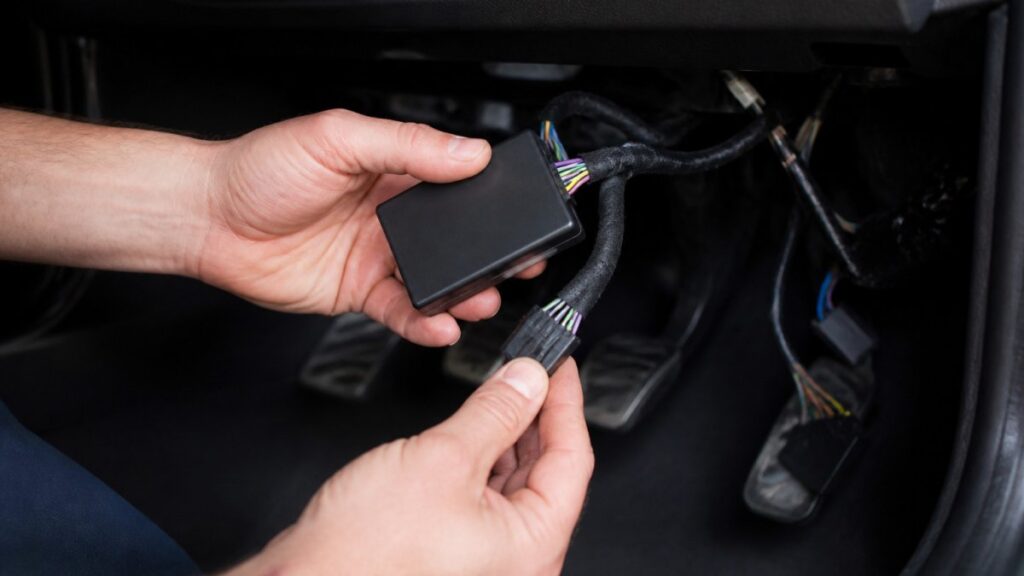
Quick Summary
An odometer blocker module is fitted by first confirming the vehicle’s exact identity and connector type, then plugging the module in line with the OEM harness without cutting wiring, and testing the cluster in stages. Fitting is only appropriate for legitimate uses such as dyno testing or track-day records, never to misrepresent a vehicle’s mileage for sale, finance or insurance.
- Confirm compatibility using the VIN, model year, cluster type and connector family before ordering.
- Plug-and-play fitting should not require any cutting or soldering.
- Disconnect the battery negative terminal and wait at least 15 minutes before starting work.
- Test in stages: power-up check, static function check, then diagnostic scan.
- Misrepresenting a vehicle’s mileage is an offence in the UK, so do not fit the module for that purpose.
Table of Contents
- What an Odometer Blocker Module Does and Where Its Use Is Legitimate
- Mileage Blocker Vehicle Compatibility: Checks to Complete Before Fitting
- Tools, Safety Precautions and Preparing the Vehicle
- Step-by-Step Fitting: Mileage Blocker Wiring and Connectors
- Testing the Installation and Troubleshooting Common Faults
- Mileage Blocker Maintenance, Warranty Support and Removal
- Booking Your Module and Fitting With Mileage Blocker
- Frequently Asked Questions
How to Install an Odometer Blocker Module Safely
Last Updated: November 1, 2026
Odometer blocker modules are electronic devices that stop a vehicle’s mileage display from changing. Professional tuners, dyno operators and track-day drivers use them for specific, lawful reasons. Odometer tampering to misrepresent a vehicle’s mileage is an offence in the UK, so check the purpose of any fitting with a qualified adviser before you proceed (Mileage correction services provider: investigation and prosecution).
What an Odometer Blocker Module Does and Where Its Use Is Legitimate
An odometer blocker module is a small plug-in unit that interrupts the signal sent from the vehicle’s sensor to the instrument cluster, so the mileage reading stops advancing. Legitimate uses are limited and specific. Dyno operators may need a fixed reading during power testing.
Where use is not legitimate: Any setup that makes a vehicle look lower-mileage than it is, for sale, finance or insurance, is fraud.
Mileage Blocker Vehicle Compatibility: Checks to Complete Before Fitting
Compatibility is the single biggest cause of a failed or reversed fitting. Modules are built around a specific instrument cluster, a specific sensor signal protocol and a specific connector family, so a module that suits one model year can be wrong for the next. Work through the checks below in order and record the answers before you order anything.
1. Confirm the exact vehicle identity, not just the model name
Use the Vehicle Identification Number (VIN), usually visible through the lower windscreen on the driver’s side and also stamped on the chassis or log book (V5C). A dealer or a reputable independent garage can decode the VIN to confirm:
- Exact model year and build date
- Trim and cluster variant fitted at the factory
- Market specification (UK-spec versus imported)
Model names overlap across years. A module listed for a model name alone is not a compatibility confirmation.
2. Identify the instrument cluster and connector family
Cluster designs fall into three broad groups, and each can use a different connector:
- Analogue clusters with a traditional speedometer needle and a separate mileage display
- Digital or virtual clusters where the display is driven by a control module
- Mixed clusters that combine an analogue speedometer with a digital odometer
Before ordering, confirm the connector type on your vehicle. Common families include the manufacturer’s own multi-pin cluster connector and, on some models, a dedicated sensor harness connector behind the cluster. Photograph the connector and count the pins, a clear photograph is the fastest way for a supplier to confirm fitment.
3. Check for modifications that change the wiring
A module designed for a factory harness may not behave correctly if the vehicle has:
- An aftermarket ECU or piggyback ECU
- A bespoke or repaired wiring harness
- Previous electrical work around the cluster or sensor loom
Disclose any of these to the supplier before purchase. In many cases a different module revision or a fitting adapter is available.
4. Verify the module revision against the vehicle
Suppliers typically list modules by revision or part number, and a revision can be superseded. Confirm that the revision you are buying is the current one for your VIN and build date. If the supplier cannot confirm fitment against your VIN, treat that as a warning sign rather than a green light. Verifying compatibility remains essential because the process of diagnosing electronic modules often reveals that intermittent communication errors stem from outdated firmware rather than hardware failure.
Before you buy, ask the supplier to confirm compatibility in writing against your VIN, model year and cluster type. Keep that confirmation with your service records, it is useful if a warranty question arises later.
5. What to do if compatibility is uncertain
If any check is inconclusive, do not fit the module. Options include:
- Requesting a fitting adapter or alternative revision from the supplier
- Booking a professional fitting service, where the fitter can verify the vehicle in person
- Deferring the fit until the vehicle identity and connector type are confirmed
A five-minute verification before ordering is far cheaper than a module that has to be returned or a cluster that has to be repaired.
Tools, Safety Precautions and Preparing the Vehicle
Tools you will typically need:
- Basic trim removal tools to access the dashboard
- A multimeter for confirming wire function and voltage
- Automotive-grade crimp connectors or the module’s supplied plug connectors
Safety steps before you start:
- Disconnect the battery negative terminal and wait at least 15 minutes for residual charge to clear.
- Work with the ignition off and keys out of the cabin.
- Use protective gloves and eye protection when working near airbag components.
- Never cut factory wiring you have not identified with a multimeter.
Watch out: Airbag and SRS wiring runs close to dashboard components. Disconnecting or probing the wrong loom can disable airbags. If you cannot identify a wire with certainty, stop and seek a qualified technician.
Step-by-Step Fitting: Mileage Blocker Wiring and Connectors
The general sequence below follows how plug-and-play modules are typically fitted. Always follow the specific instructions supplied with your module.
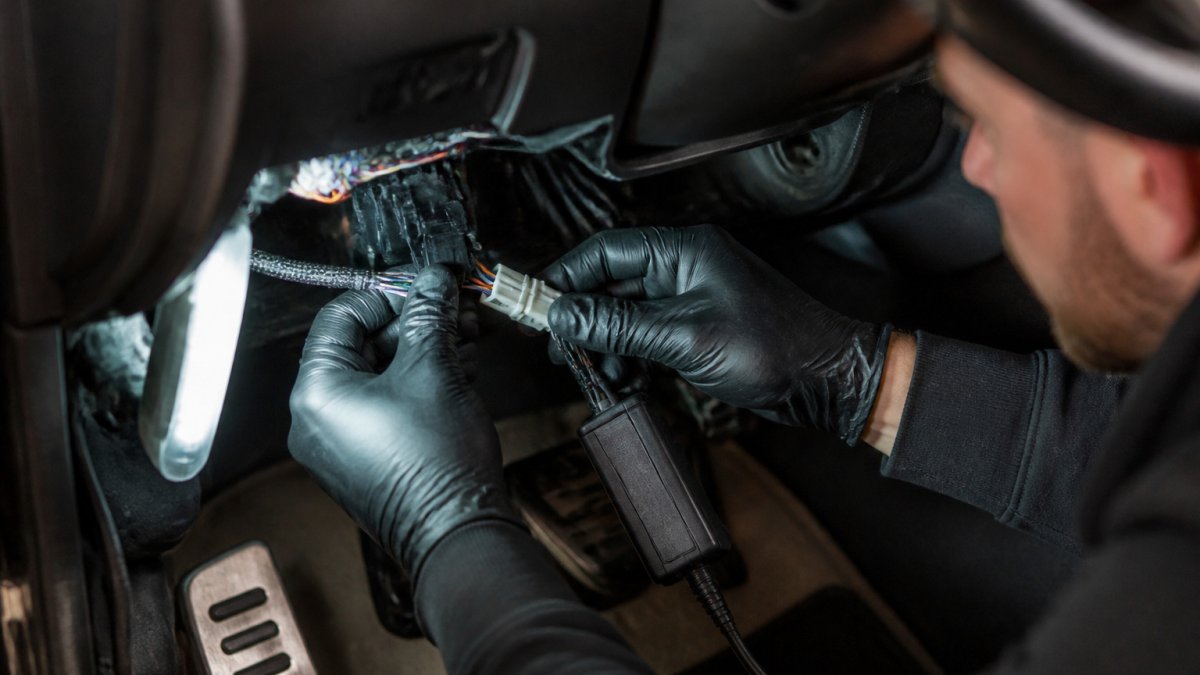
- Access the instrument cluster. Remove the lower dash trim and cluster surround. Allow 20 to 40 minutes depending on the vehicle.
- Identify the signal wire. Use the wiring diagram for your model to locate the speed or distance signal, then confirm it with a multimeter.
- Locate the manufacturer plug. Most modules connect through an existing OEM connector so no cutting is needed. Unplug the connector gently and check the pin layout.
- Connect the module in line. Seat the module’s plug between the OEM harness and the cluster, keeping the original connections intact.
- Secure and tidy the loom. Tie the module to a fixed point using cable ties so it cannot touch moving parts or hot surfaces.
- Reconnect and test. Reconnect the battery, switch the ignition on and confirm the cluster powers up with no new warning lights.
Plug-and-play fitting should not require any cutting or soldering. If a model needs a splice, expect the job to take longer and to be less reversible.
Testing the Installation and Troubleshooting Common Faults
A structured test sequence catches most fitting problems before they become fault codes. Work through the stages below in order and do not skip ahead, each stage assumes the previous one passed.
Stage 1: Power-up check (ignition on, engine off)
- Reconnect the battery negative terminal and confirm the terminal is tight.
- Switch the ignition on without starting the engine.
- Confirm the cluster illuminates, the warning-light self-test completes and no new warning lights remain lit.
- Check that the speedometer rests at zero and the mileage display shows a stable reading.
If the cluster does not power up, stop and recheck the OEM plug seating and the battery connection before doing anything else.
Stage 2: Static function check
With the ignition on and the vehicle stationary:
- Operate the indicators, headlights, main beam and hazard lights and confirm the cluster tell-tales respond
- Check that fuel, temperature and other gauges read plausibly
- Confirm the module’s status indicator (if fitted) shows the expected state
Any gauge that reads full-scale, zero or flickers is a sign of a pin alignment or connector seating problem.
Stage 3: Road or rolling-road check
Where it is lawful and safe to do so, carry out a short low-speed check on private land or a rolling road:
- Confirm the speedometer responds smoothly and returns to zero
- Watch for intermittent readings, which usually point to a chafed or poorly secured loom
- Confirm no new warning messages appear during the check
Do not carry out road testing on public roads for the purpose of confirming that a mileage display has stopped advancing. Use private land or a rolling road, and keep a written record of the reason for the test.
Stage 4: Diagnostic scan
Connect a suitable scan tool and read fault codes from the instrument cluster and, where accessible, the engine and ABS modules. A common pattern is a communication or signal code stored in the cluster module after a connector has been disturbed. Note the codes before clearing anything.
- Communication codes often clear once the connector is reseated and the ignition is cycled.
- Persistent codes that return after clearing point to a wiring or module fault and should be investigated by a qualified technician.
- Codes in unrelated modules (engine, ABS, airbag) should be treated seriously, do not clear them without understanding why they appeared.
Troubleshooting decision path
| Symptom | Most likely cause | First action |
|---|---|---|
| Cluster dead after fitting | OEM plug not fully seated, battery terminal loose | Recheck plug and battery, retest |
| One or more warning lights stay on | Bent pin or misaligned connector | Inspect pins, reseat connector |
| Intermittent or jumping readings | Loom chafing or poor earth | Secure loom, check earth points |
| Fault code stored in cluster | Disturbed connector or signal interruption | Read code, reseat, cycle ignition, re-read |
| Other modules show codes | Wiring disturbed beyond the cluster | Stop, restore original connection, seek technician |
When to stop and revert
Remove the module and restore the original connection if:
- The cluster does not power up after two reseating attempts
- Airbag, ABS or engine warning lights remain on
- Fault codes persist after clearing and an ignition cycle
Reverting a plug-in fit is usually straightforward: disconnect the battery, unplug the module, reconnect the OEM harness and retest the cluster. Keep a note of the fitting date, the mileage at fitting and any fault codes observed, so a technician has a clear history if further diagnosis is needed.
Mileage Blocker Maintenance, Warranty Support and Removal
Mileage Blocker supplies modules with a 12-month warranty. Fitting an aftermarket device can affect a car’s manufacturer warranty, so check your vehicle’s warranty terms before fitting. Our guide to warranty and repair support after fitting covers this in more depth.
Maintenance tips:
- Inspect the connector periodically for corrosion or loose pins
- Keep the loom secured and away from heat sources
- Note the fitting date and vehicle mileage in your service records
Removal: Disconnect the battery, unplug the module, reconnect the OEM harness and retest the cluster.
Booking Your Module and Fitting With Mileage Blocker
If you would rather not fit the module yourself, Mileage Blocker offers a professional fitting service. Pricing depends on quantity, dates and delivery, so request a current quote from Mileage Blocker before booking. A professional fitter also keeps a record of the work, which is useful if questions arise later.
Frequently Asked Questions
What is an odometer blocker module?
An odometer blocker module is a plug-and-play electronic unit that connects to a vehicle’s instrument cluster wiring and stops the mileage display from changing during a specific test or diagnostic session. Mileage Blocker supplies UK-made modules for dyno testing, diagnostics, track days and off-road use. Using a module to alter a recorded mileage figure for sale, insurance or finance purposes is fraudulent, so check the purpose before you fit one. Professional users should keep records of why the module was used and when it was removed.
Are odometer blocker modules compatible with every vehicle?
No. Compatibility depends on the make, model, model year and instrument cluster design, so a module that fits one vehicle may not fit another. Check the listed vehicle compatibility before ordering, and confirm the connector type matches your car’s loom. Mileage Blocker’s 24/7 support can be contacted with fitment questions. Do not assume that a module designed for one platform will work on a different generation of the same model.
How can you tell whether a mileage blocker is working correctly?
After fitting, power the ignition without starting the engine and watch the mileage display for several minutes. Then take a short, supervised drive and confirm that the reading stays at the expected value. If the display freezes, flickers or shows an error, disconnect the module and recheck the connector seating and the wiring points against the fitting guide. Note the reading before and after testing so you have a clear record.
What should you do if a mileage blocker module causes a warning light?
Switch off the ignition and disconnect the module first. Warning lights are often caused by a loose connector, a reversed wire or a module that is not suited to the vehicle. Reconnect only after checking the wiring against the guide, then clear any fault codes with suitable diagnostic equipment. If the warning returns, stop using the module and contact Mileage Blocker technical support or a qualified automotive technician rather than continuing to drive.

Leave a Reply